Physical Plant
The Physical Plant Department is responsible for maintaining and supporting the university’s physical environment. This includes oversight of building maintenance, campus grounds, and custodial services, as well as the staff who support these operations.
Our team works to ensure that McKendree’s buildings, infrastructure, and outdoor spaces remain safe, functional, and welcoming for students, faculty, staff, and visitors.
If you notice an issue on campus that requires repair, maintenance, or attention, please submit a service request using one of the methods below.
Reporting Option 1: Submitting a Maintenance Work Order
The fastest and most effective way to report a maintenance issue is through the Keystone Consumer Portal. Requests submitted through the portal are tracked and assigned to the appropriate Physical Plant staff member.
Step 1: Register for the Keystone Consumer Portal
If you are using the system for the first time, you will need to complete a brief registration process.
Steps:
-
-
- Visit the Keystone Consumer Portal
- Click Log In with Sodexo Connect SMS FM PROD
- Review the FM Keystone Privacy Policy
- Select Accept Privacy Policy
- Click Next
- Complete the registration form
-
When completing the registration form, use the following information:
Site Code: MUILUS
Email: Use your McKendree email address in the format:
firstname.lastname@mckendree.edu
Once registration is complete, you will be able to submit and track maintenance requests.
These steps come directly from the Keystone Consumer Portal Registration Quick Guide.
Step 2: Submit a Maintenance Request
After logging into the portal, you may:
-
-
Create a Case (submit a new maintenance request)
-
Check the status of existing requests
-
When submitting a request, please include:
-
-
Building name
-
Room number or exact location
-
Description of the issue
-
Photo of the issue (if possible)
-
Providing detailed information helps Physical Plant staff respond more quickly.
Step 3: Save the Portal to Your Phone
You may save the Keystone Consumer Portal to your smartphone for easy access.
iPhone
- Open the portal in Safari
- Tap the Share icon
- Select Add to Home Screen
- Tap Add
Android
- Open the portal in Chrome
- Tap the three-dot menu
- Select Add to Home Screen
- Tap Add
This creates an icon on your phone so you can quickly submit maintenance requests when issues arise.
Reporting Option 2: Call Physical Plant
If you are unable to submit a request online, you may call the Physical Plant Office at 618-537-6969.
When calling or leaving a voicemail, please include:
-
-
Your name
-
Your phone number
-
The building and location of the issue
-
A brief description of the problem
-
Providing complete information helps staff route your request appropriately.
Reporting Option 3: Residence Hall Maintenance
Students living in university housing may also report maintenance concerns through the Office of Residence Life.
Residents should email: reslife@mckendree.edu
Please include:
-
-
Residence hall and room number
-
Description of the issue
-
Photo of the issue (if possible)
-
Residence Life will coordinate with Physical Plant to ensure the request is submitted.
Following Up on a Request
After submitting a request through the Maintenance Request Portal, you will receive a service request number.
If you have questions, updates, or additional information regarding the issue, please contact Physical Plant and reference this service request number. This helps staff quickly locate your request and provide an update.
Please avoid submitting duplicate requests for the same issue unless additional information needs to be provided.
Emergency Maintenance Issues
Certain issues may require immediate attention. Examples include:
-
-
Major water leaks
-
Electrical hazards
-
Loss of heat during winter
-
Situations that pose an immediate safety risk
-
If you encounter an emergency maintenance issue, please contact Physical Plant (618-537-6969) or Public Safety (618-537-6911) immediately.
What Physical Plant Does
The Physical Plant Department supports campus operations through several key service areas.
Building Maintenance
Maintenance staff addresses facility repairs and preventative maintenance, including HVAC systems, plumbing, electrical systems, doors, lighting, and general building repairs.
Grounds
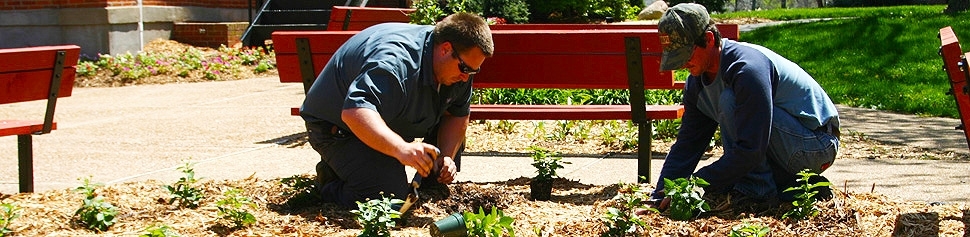
Grounds staff maintain the university’s outdoor spaces, including lawns, landscaping, snow removal, sidewalks, and campus beautification.
Custodial Services
Custodial staff maintain cleanliness and sanitation in academic buildings, residence halls, offices, and public spaces across campus.
Who Should I Contact?
Different types of concerns on campus are handled by different departments. Please use the guide below to help ensure your request reaches the correct office.
Physical Plant
Contact Physical Plant using the methods discussed above for issues involving:
-
-
Plumbing
-
Heating or cooling (HVAC)
-
Electrical issues or lighting outages
-
Doors, locks, or building access issues
-
Building damage or general facility repairs
-
Grounds concerns such as landscaping, sidewalks, or snow removal
-
Custodial concerns in academic buildings or common areas
-
Information Technology (IT)
Contact the IT Help Desk for issues involving:
-
-
Internet, Wi-Fi connectivity, or Ethernet ports
-
Computers or laptops
-
Classroom technology
-
Printers
-
Software or account access
-
IT can be contacted via email at helpdesk@mckendree.edu or by phone at 618-537-6445 and choose option 1.
Laundry Machines
If a washer or dryer is not working, submit a service request:
📌 CSC Service Works Request Service Website
For more information about laundry at McKendree University, please see the Laundry webpage.
Contact Physical Plant
Physical Plant Office
McKendree University
Phone: 618-537-6969
Hours: Monday - Friday, 8 a.m. - 5 p.m.